Chrome ARM64 Bug: JavaScript V8 Engine Seems to Break WhatsApp and Facebook from Loading Properly After [multiple] macOS Sleep/Resumes v142.0.7444.162
Updated 22 May 2026 on LinkedIn
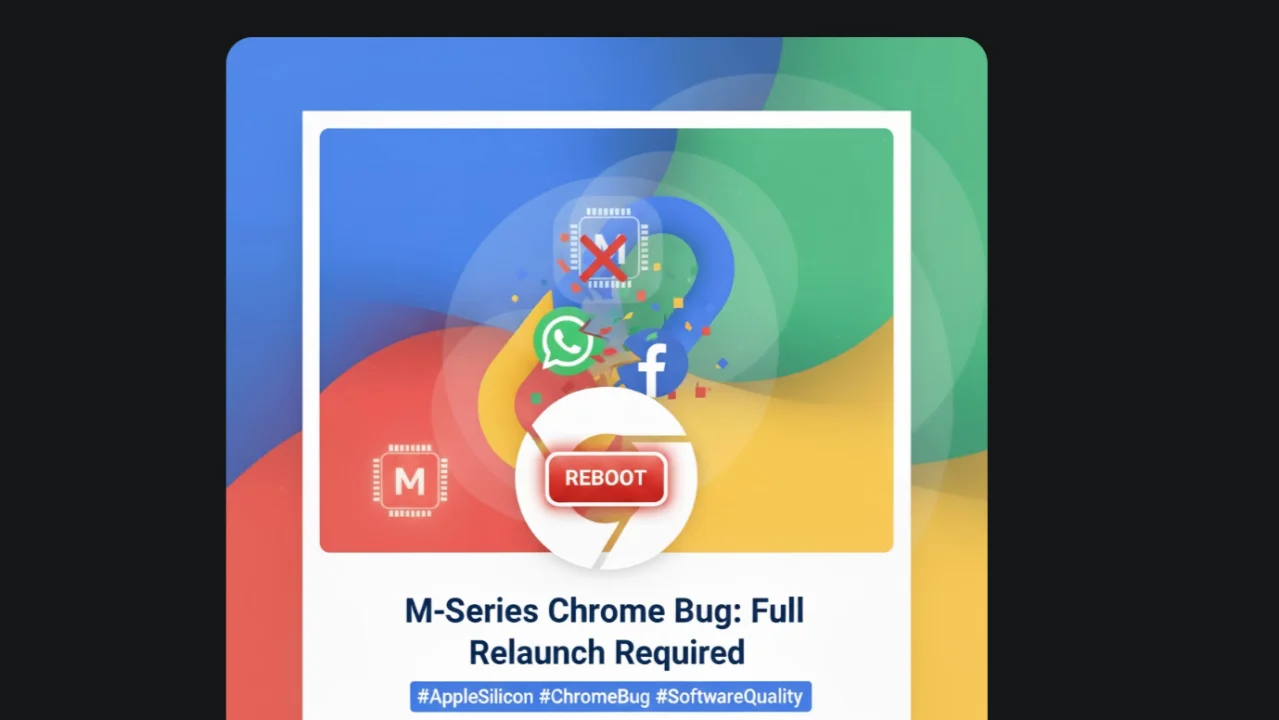
This has happened countless of times, current up to date Version 142.0.7444.162 (Official Build) (arm64). WhatsApp fails to open at all when this happens and requires a full Chrome quit and relaunch. Annoying if you have over 100 tabs open at any one time. Facebook also fails to load messages or go to groups when this bug is present. Flagging with this with Google but I hope it already has been. It's no surprise when Apple basically told everyone overnight to use ARM (#mseries) or die. lol Google Chrome
Clearing WhatsApp or Website cache/cookies/site data does not solve it. a full Chrome restart is required each time it happens. Sounds like some like of heap memory garbage collection issue. Never had it happen on an Intel Mac.
Experience this since last year from memory when I got my M3 MacBook Air, 16GB RAM, 512GB SSD. Apple
Also a side note, Chrome will freeze macOS if you run low on storage and it needs to use the SSD for a lot of swap. The only way out of that is to do a full macOS force power off and turn on again. Has happened many times also.
ChatGPT:
What is Known / Related
- Chrome 142 Security Fixes
- WhatsApp Web Layout / UI Bugs
- Common Troubleshooting for WhatsApp Web
- Facebook / Messenger Breakage
Possible Causes & Diagnostics
Given what you described, some likely causes:
- Memory / JS Engine Issue: Because Chrome 142 includes a V8 bug fix, there could be edge-case regressions in JS execution for heavy web apps.
- Corrupt Storage / Service Worker: WhatsApp Web uses Service Workers + persistent storage; if that gets into a weird state, that might explain the “fails to open”.
- Extension Conflict: An extension or plugin might be interfering only in certain tabs/sites.
- Profile Corruption: Your Chrome user profile (cookies, cache, local storage) might be corrupted for those sites.
- Resource Exhaustion: If you have 100+ tabs open, it's possible Chrome is running low on memory or hitting some strange resource + priority edge case.
What to Do / Workarounds
Here are some steps to try, to isolate or potentially fix the issue:
- Clear WhatsApp Web Data
- Test in Incognito Mode
- Disable Extensions
- Relink WhatsApp Web
- Restart Chrome / Use chrome://restart
- Create a Fresh Chrome Profile
- Report the Bug
My Take
- There might not be a well-known, public bug that exactly matches what you're seeing — at least from the sources I found.
- But because Chrome 142 introduces a serious V8 fix, it's not impossible that you're hitting an edge-case regression.
- It’s likely more local to your setup (profile, extensions, memory) unless more people report the same pattern.
If you like, I can dig into recent (last 4-6 weeks) bug tracker data (Chromium bug tracker, Reddit, etc.) and try to surface if there is a recurring / widespread issue matching what you're describing. Do you want me to do that?
Gemini:
That's a very specific and repeatable issue, which often points to a bug interaction between a few key components. Based on your description and general knowledge of browser/platform issues, here are the most likely causes:
🔍 Potential Causes of the Chrome/ARM/Communication Bug
1. A Regression Bug in the Specific Chrome Build
- The Problem: The most likely cause is a bug introduced in Chrome version 142.0.7444.162. The fact that the issue requires a full quit and relaunch strongly suggests a fundamental process or resource is being corrupted or exhausted.
- Technical Hypothesis: This could be an issue with how Chrome handles WebSockets (which both WhatsApp and Facebook Messenger heavily rely on for real-time updates) or Service Workers. After prolonged use or high tab load, a resource leak or a failure in the IPC (Inter-Process Communication) layer prevents these real-time services from connecting.
2. Interaction with the ARM64 Architecture (The M-Series Chip)
-
The Problem: The M-series chip uses a different architecture (ARM64) than older Macs (x86/Intel). While Chrome has a native ARM build, there can still be subtle bugs in how the browser code interacts with Apple's optimized silicon, especially when dealing with complex, persistent web apps.
-
Technical Hypothesis: The issue might be related to:
-
Memory Management: The browser is running out of a specific pool of memory or hitting a macOS resource limit that manifests only under heavy load on the ARM architecture.
-
Hardware Acceleration: An error in the GPU/Video memory handling (even for non-visual tasks) on the M-series chips could be triggered by the complex rendering or network demands of WhatsApp/Facebook, leading to a crash or freeze of that specific process.
3. The High Tab Count/Resource Overload
-
The Problem: You mentioned having over 100 tabs open. This is a crucial detail.
-
Technical Hypothesis: The bug may not appear on its own but is triggered by the combination of:
-
Process Exhaustion: Chrome runs each tab/extension in its own process. Managing over 100 active processes (plus extensions and browser services) taxes the operating system's process table and Chrome's internal memory management.
-
The "Straw That Breaks the Camel's Back": The persistent connection of WhatsApp or Facebook is often what pushes the browser past a critical threshold, leading to a cascade failure in the networking or process handling layer.
4. A Conflict with a Third-Party Extension (Less Likely, but Possible)
- The Problem: A single extension (especially ad-blockers, VPN clients, or privacy tools) might be interfering with the specific way WhatsApp/Facebook load their assets or establish their secure connections.
- Check: If the issue does not occur when browsing in a Chrome Incognito window (where extensions are disabled by default), then an extension is the likely culprit.
Given your observation that a full Chrome quit and relaunch is required, the problem is almost certainly a core stability or resource leak issue within the main Chrome browser process itself, likely exacerbated by the ARM architecture under a heavy tab load.
The fact that you are "Flagging this with Google" is the best path, as it points to a known, recent, version-specific bug that their engineers need to address.
Thanks for reading.
View the original discussion on LinkedIn ↗






Join the conversation
Comments and reactions use GitHub. Sign in to join in, and keep the discussion thoughtful and respectful.
View discussions on GitHub ↗